
Mac Community Trade Center
Published:
This is a website that myself and two teammates (Christian Lentz, Jake Murakami) created during our Comp-225 class. The class is pretty cool because it gives you the opportunity to work on a project for a full semester. It’s also interesting because we are able to learn and get familiar with new types of coding outside of a classroom setting.
What is Mac Community Trade Center?
The site we created is meant to act as a marketplace for Macalester students and faculty. Allowing them to be able to buy/sell/trade goods within the community. Our hopes in creating this was to have a more accessible and safer way to be able to online shop with real people. The site we created is more of a skeleton model, as real users are not on it currently. With that being said the site is fully functional allowing users to login, create accounts, navigate the site, create posts, and contact other users through email. Making the site had a lot of ups and downs but overall was super fun and gave me a lot of new skills. I’ll attach a link here if you would like to visit it. If you are not a macalester person that’s okay you are able to login in by having the string ‘@macalester.edu’ as your login email.
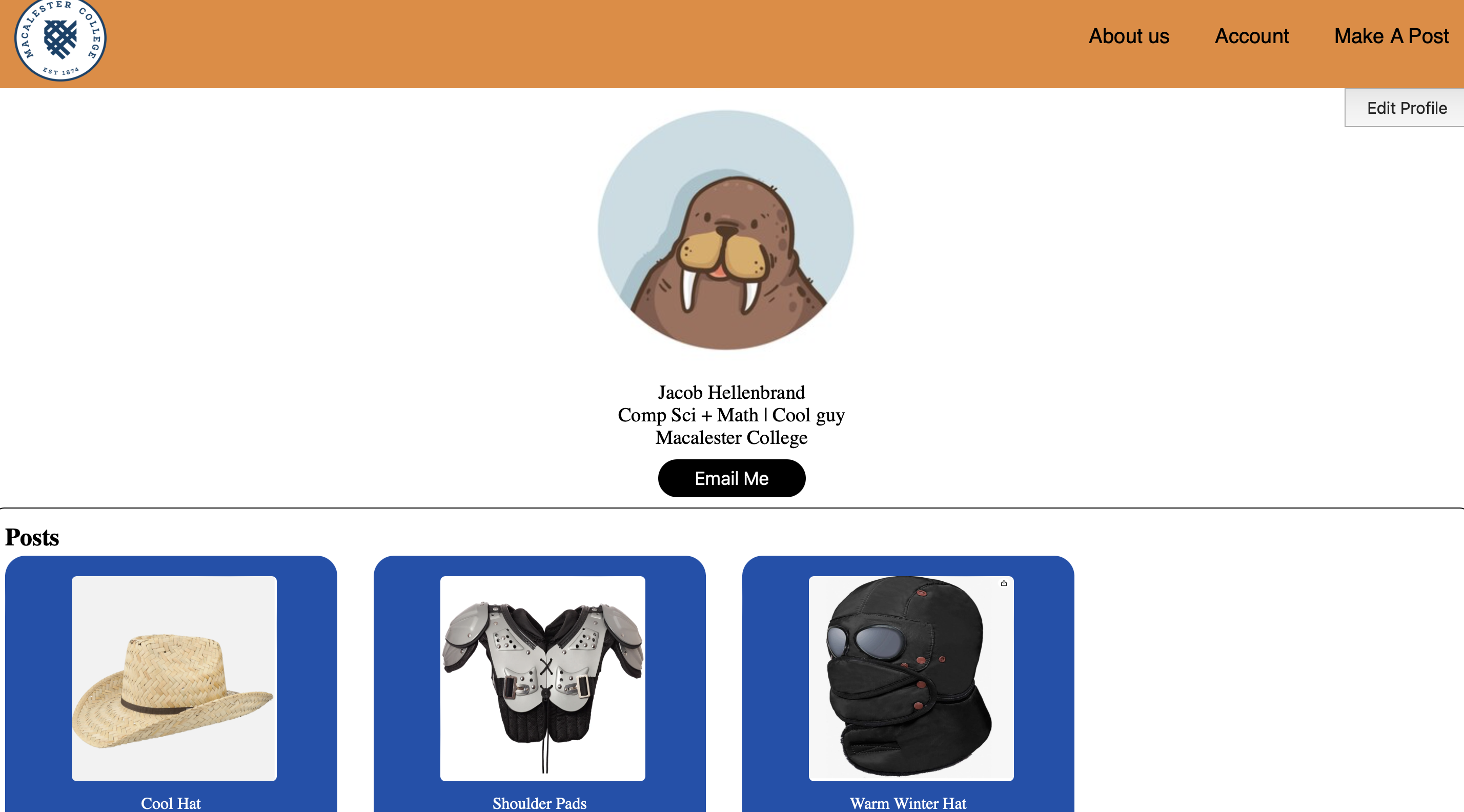
A Look at Our Code
For creating our site we used HTML, CSS, and JavaScript. This was exciting for us, as all three of us did not have a lot of experience with any of these. Web development can often be very tedious at times and that was something we discovered as we went. We also took on the challenge of using Google Firebase to host our site and maintain our data storage. This process was a little challenging to set up, but once things were in place it was really friendly to use on the site.
My Role
In creating our site we divided our work into parts. I was assigned the majority of the front end development. Christian worked on the database, and Jake with user auth. I learned a lot about front end development from this, especially because we didn’t use a framework. If you’ve worked with CSS before you can know how tedious it can be. Some of the big things I learned about were accessibility checking your site, creating clean code in a swamp of divs and css, and properly naming everything. Although I did a lot of front end work I did get to play around on the back end of the project. I helped Christian with the code for sending form data back to our database. Handeling images on the backend was also something that was a little challenging and I helped with. Another thing being that I helped with creating code that pulled our data from the database to put onto posts on the homepage.
Future Aspirations
One big thing that we were unable to complete in the given time was user auth. We had some stages where we had the google pop up where you sign in to your email, but were never able to get it fully working. As a result we decided to use a html form that just checks for a string to confirm authentication.
We also would like to have some type of control on malicious users. Currently anyone is able to post anything, as we have no safety checks in place. With more time we would have liked to create some form of guidelines in place that limit users.
My Repo
Finally here is a link to our repo . You can check it out if you would like to take a more indepth look at our code. We also have a pretty killer readme with a lot of info on our site.